Many hyperlinks are disabled.
Use anonymous login
to enable hyperlinks.
Overview
| Artifact ID: | 28ca83e5b1acab104931cfb7700cf3e4957c42cc |
|---|---|
| Page Name: | spatialite_osm_map |
| Date: | 2012-05-03 09:42:50 |
| Original User: | sandro |
| Parent: | 8cc3c39455b76dd68d1a422cf52be260cb17328e (diff) |
| Next | 5a9f22859036a5a493e5b5c956392959b213f0f0 |
Content
back to the OSM tools main page
spatialite_osm_map
Syntax:
usage: spatialite_osm_map ARGLIST
==============================================================
-h or --help print this help message
-o or --osm-path pathname the OSM-XML file path
both OSM-XML (*.osm) and OSM-ProtoBuf
(*.osm.pbf) are indifferenctly supported.
-d or --db-path pathname the SpatiaLite DB path
|
Example:
$ spatialite_osm_map -o my_country.osm.pbf -d my_country.sqlite
SQLite version: 3.7.11
SpatiaLite version: 3.1.0
UNRESOLVED-NODE 114601792
....
UNRESOLVED-WAY 39764802
VACUUMing the DB ... wait please ...
        All done: OSM map was succesfully loaded
$
|
the above shown command must be invoked from the shell:
- -o my_country.osm.pbf selects the OSM input file (in this case, of the OSM-protobuf format).
- -d my_country.sqlite selects the SpatiaLite's DB-file to be created and populated.
- you can eventually add any other DB-related optimization switch, if you think it will be useful.
Want to learn more ? read the DB optimization short note
Please note: the many Unresolved-Node or Unresolved-Way messages you'll eventually see simply are harmless warnings: very often OSM datasets does actually contain several missing / broken cross-references. Don't worry, it simply means that few Map Objects cannot be correctly reconstructed, and thus will be silently discarded.
Once the command succesfully completes its execution, you'll find a brand new DB-file just created ...
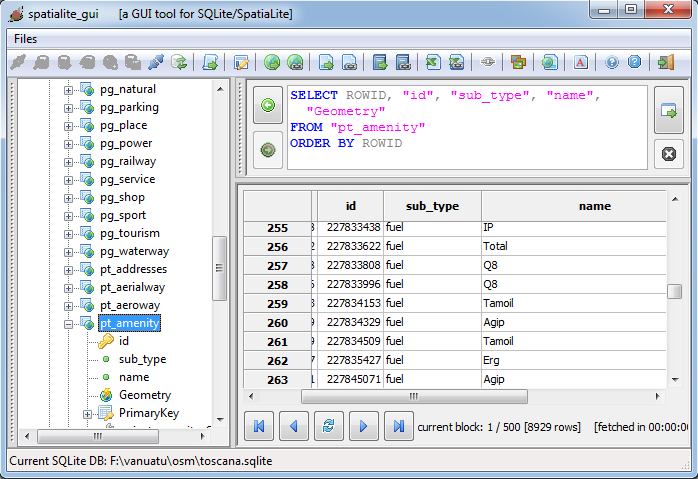
... you can explore this DB-file e.g. using spatialite_gui ...
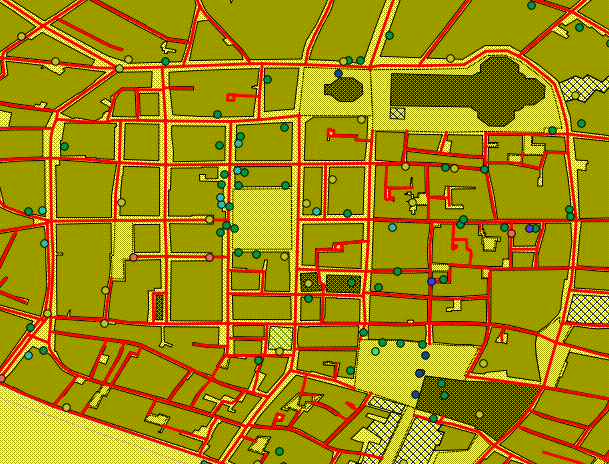
... or you can connect it to a most conventional desktop-GIS application (e.g. QGIS).
back to the OSM tools main page