Step #1 - General Introduction |
|---|
Step #1.1 - Preparing to load the Coverages in MapPanel
|
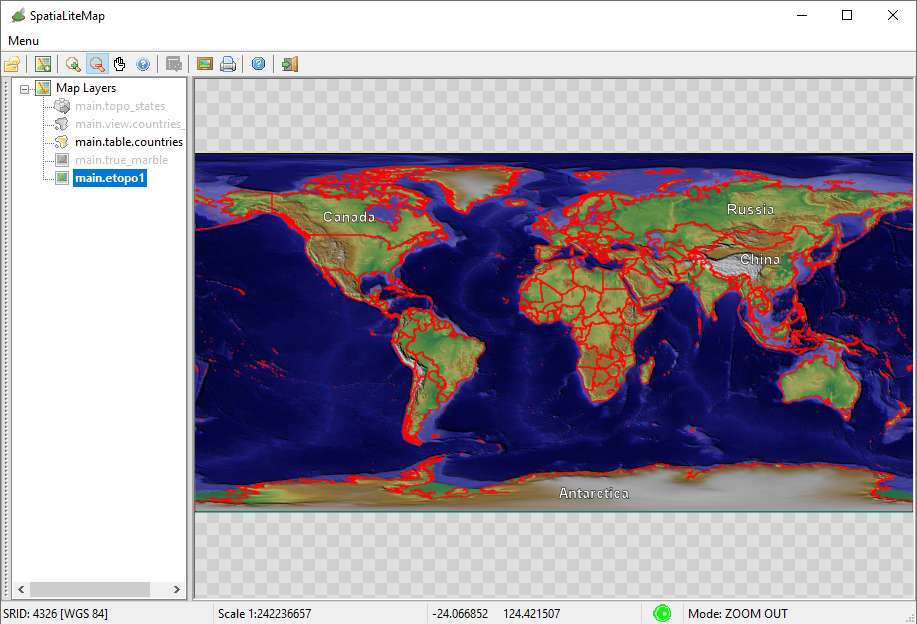
|
Step #1.2 - Preparing to load the Coverages in MapPanel
|
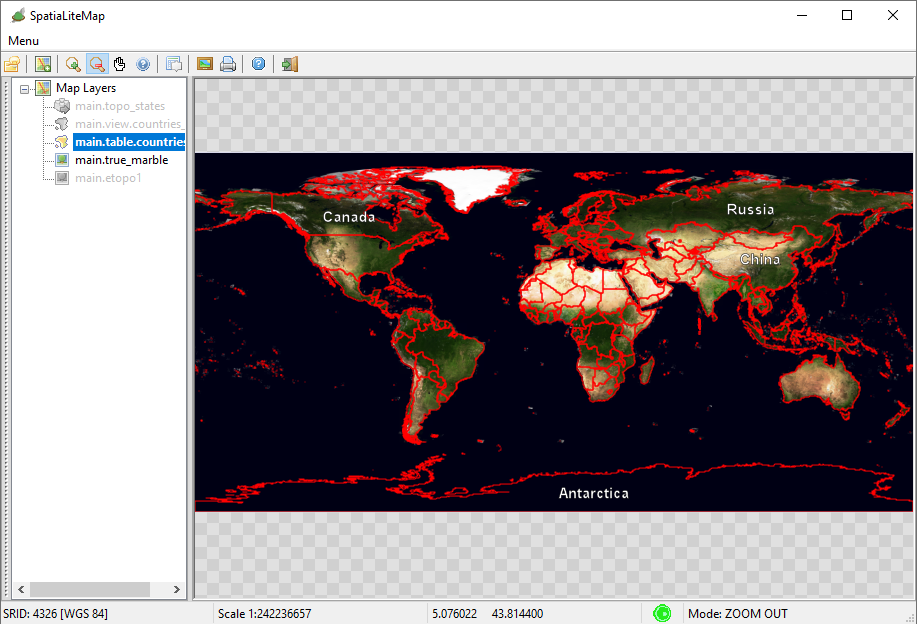
|
Step #1.1 - Preparing to load the Coverages in MapPanel
|
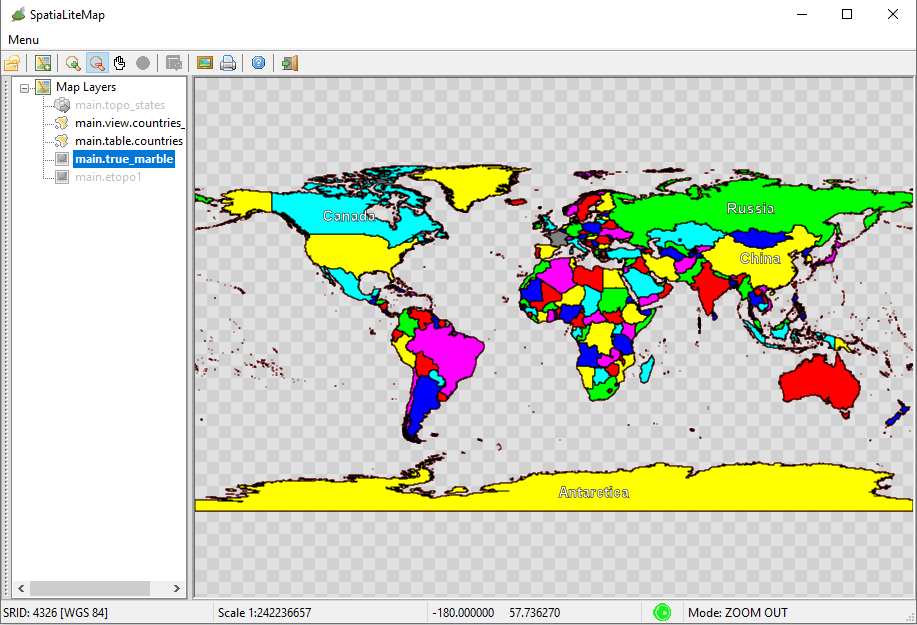
|
Step #1.1 - Preparing to load the Coverages in MapPanel
|
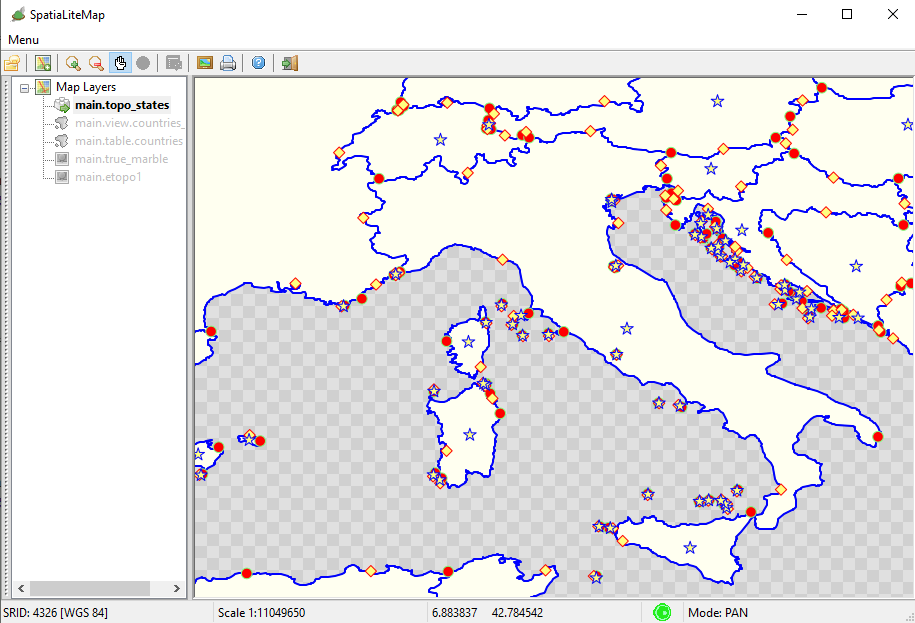
|
Step #2 - Creating, populating and styling the Raster Coverages |
|---|
Step #2.1 - Preparing to load the Coverages in MapPanel
|
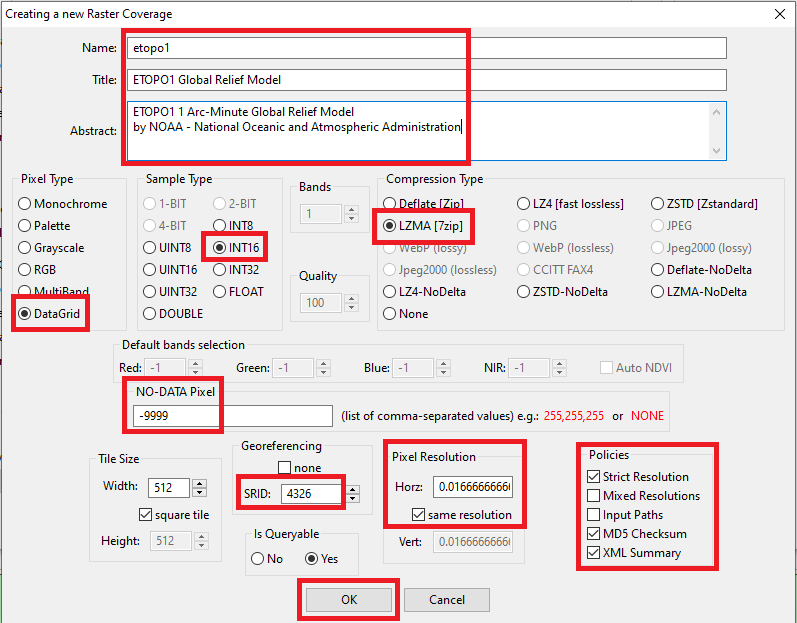
|
Step #2.1 - Preparing to load the Coverages in MapPanel
|
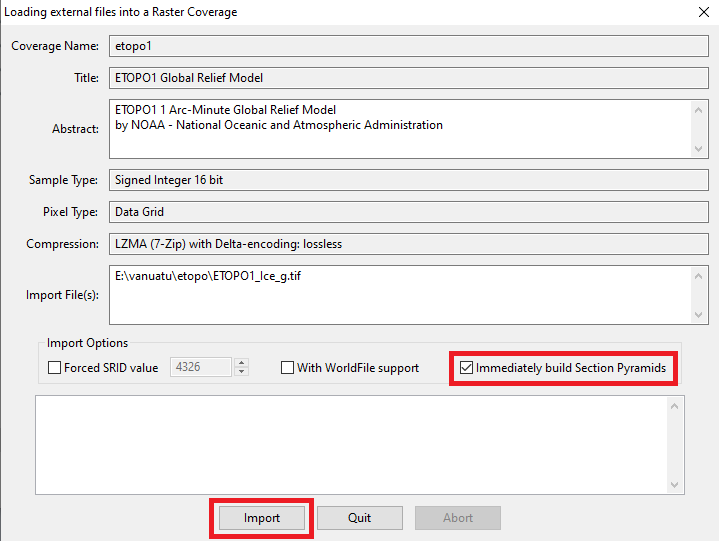
|
Step #2.1 - Preparing to load the Coverages in MapPanel
|
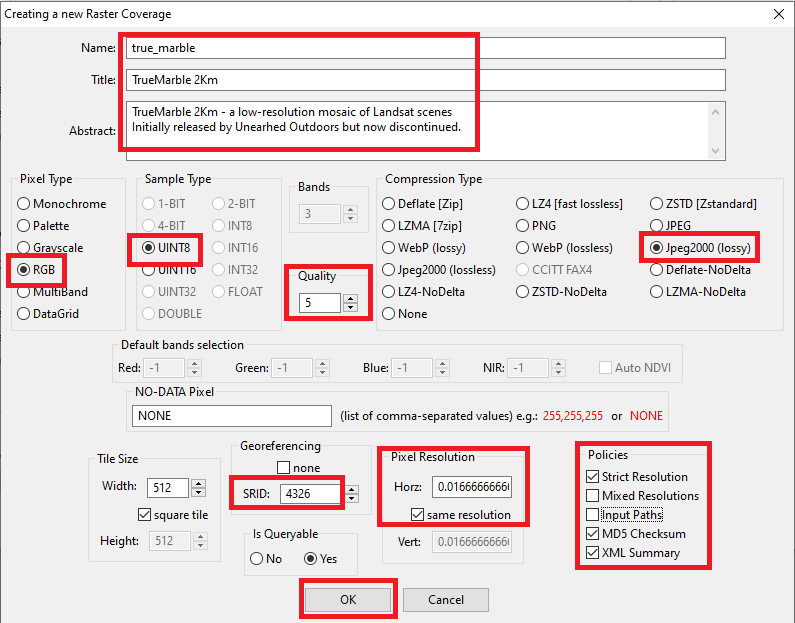
|
Step #2.1 - Preparing to load the Coverages in MapPanel
|
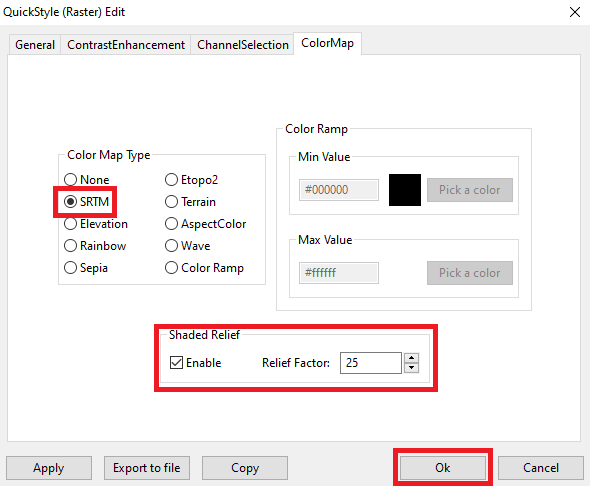
|
Step #3 - Creating, populating and styling a Vector Coverage based on a Spatial Table |
|---|
Step #3.1 - Preparing to load the Coverages in MapPanel
|
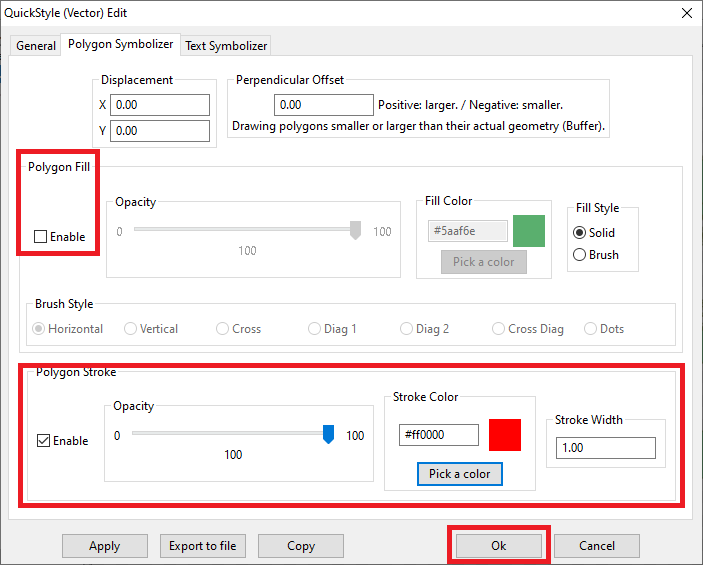
|
Step #3.2 - Preparing to load the Coverages in MapPanel
|
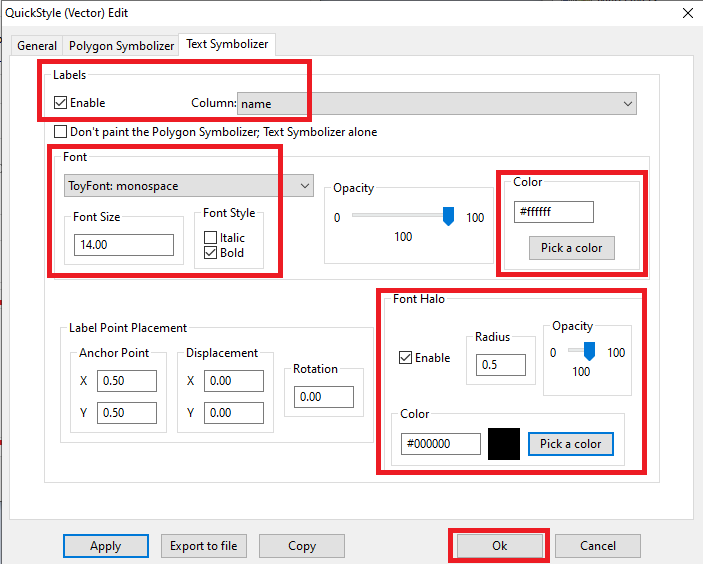
|
Step #4 - Creating, populating and styling a Vector Coverage based on a Spatial View |
|---|
Step #4.1 - Preparing to load the Coverages in MapPanel
|
CREATE VIEW countries_vw AS
SELECT pk_uid AS rowid, name AS name,
CASE mapcolor7
WHEN 1 THEN '#FF0000'
WHEN 2 THEN '#00FF00'
WHEN 3 THEN '#0000FF'
WHEN 4 THEN '#FFFF00'
WHEN 5 THEN '#FF00FF'
WHEN 6 THEN '#00FFFF'
ELSE '#808080'
END color, geometry AS geom
FROM countries;
INSERT INTO views_geometry_columns VALUES
('countries_vw', 'geom', 'rowid', 'countries', 'geometry', 1);
|
Step #4.2 - Preparing to load the Coverages in MapPanel
|
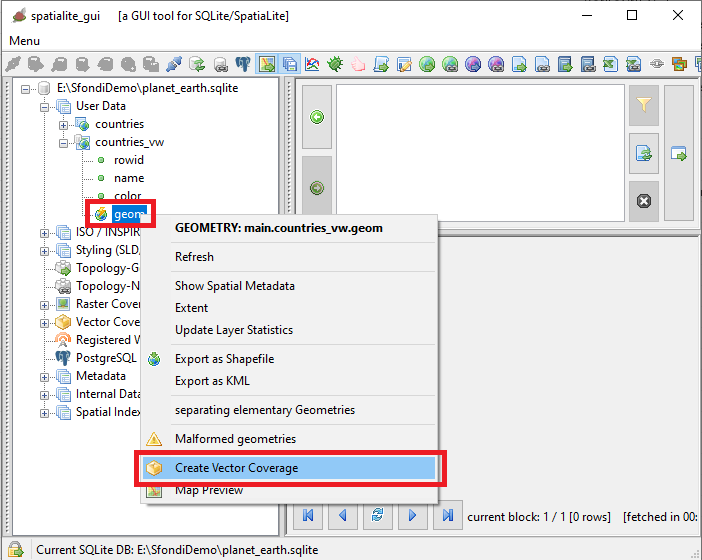
|
Step #4.3 - Preparing to load the Coverages in MapPanel
|
    countries_col

        <Title>Countries - Political Map</Title>
        A Style setting its Fill color from a Column Value


        @color@
        1.00


        #000000
        1.00
        1.00
        round
        round
|
Step #5 - Creating, populating and styling a Vector Coverage based on a Topology |
|---|
Step #5.1 - Preparing to load the Coverages in MapPanel
|
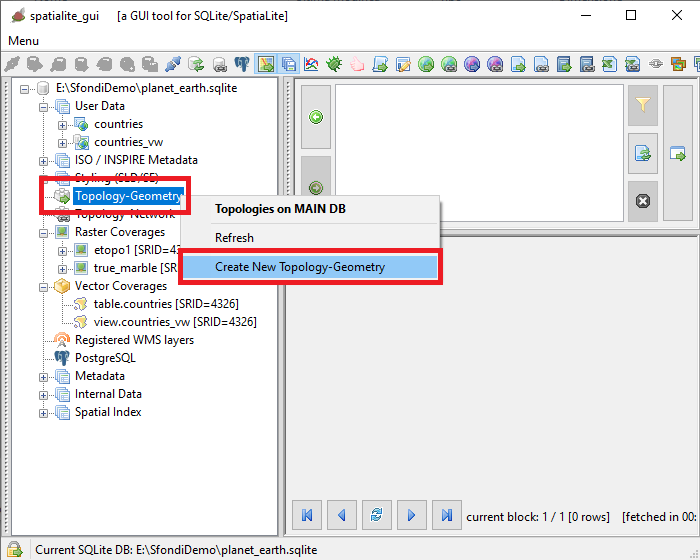
|
Step #5.2 - Preparing to load the Coverages in MapPanel
|
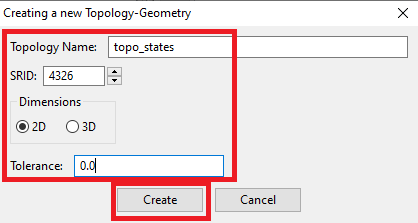
|
Step #5.3 - Preparing to load the Coverages in MapPanel
|
SELECT TopoGeo_FromGeoTableNoFaceExt('topo_states', NULL, 'countries', NULL, 'dustbin', 'dustbin_view', 512);
SELECT TopoGeo_Polygonize('topo_states');
SELECT TopoGeo_UpdateSeeds('topo_states');
|
Step #5.4 - Preparing to load the Coverages in MapPanel
|
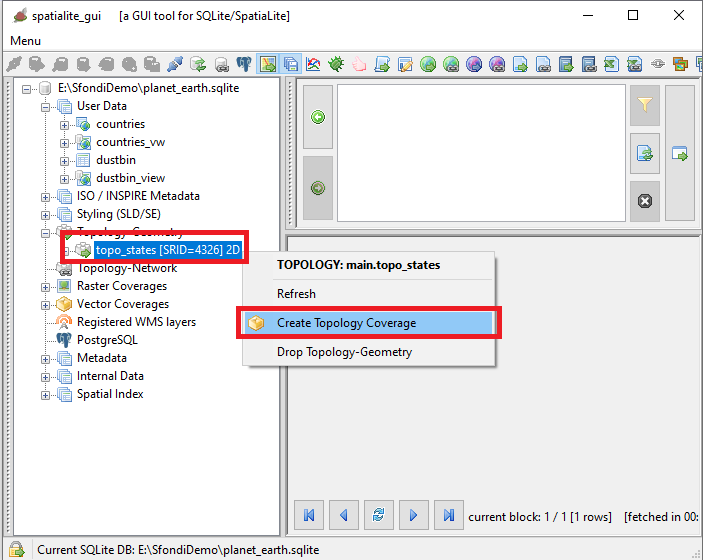
|
Step #5.5 - Preparing to load the Coverages in MapPanel
|
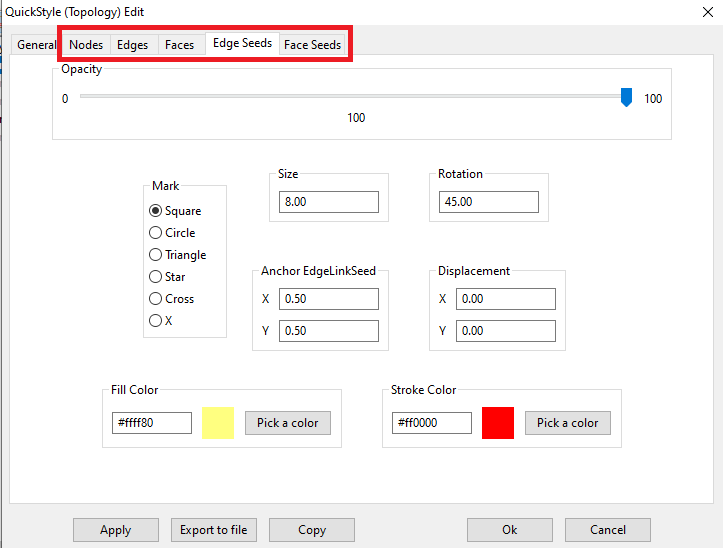
|
Step #5.6 - Preparing to load the Coverages in MapPanel
|
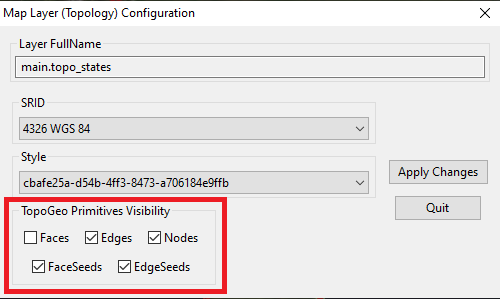
|
Z d75c87adb0cdbc5c417bb0f1c34d2a67