Many hyperlinks are disabled.
Use anonymous login
to enable hyperlinks.
Overview
| Artifact ID: | b6d1a6c58a2fcf86fe9747194f2a9472389b9f3a |
|---|---|
| Page Name: | Sample Planet Earth |
| Date: | 2020-09-12 09:49:08 |
| Original User: | sandro |
| Next | 300fb3e88cefc9a32ff47e606864dd39e3bb546f |
Content
Quick How-To Guide for the Planet Earth sample
Step #1 - General Introduction | |
|---|---|
Step #1.1 - Preparing to load the Coverages in MapPanel |
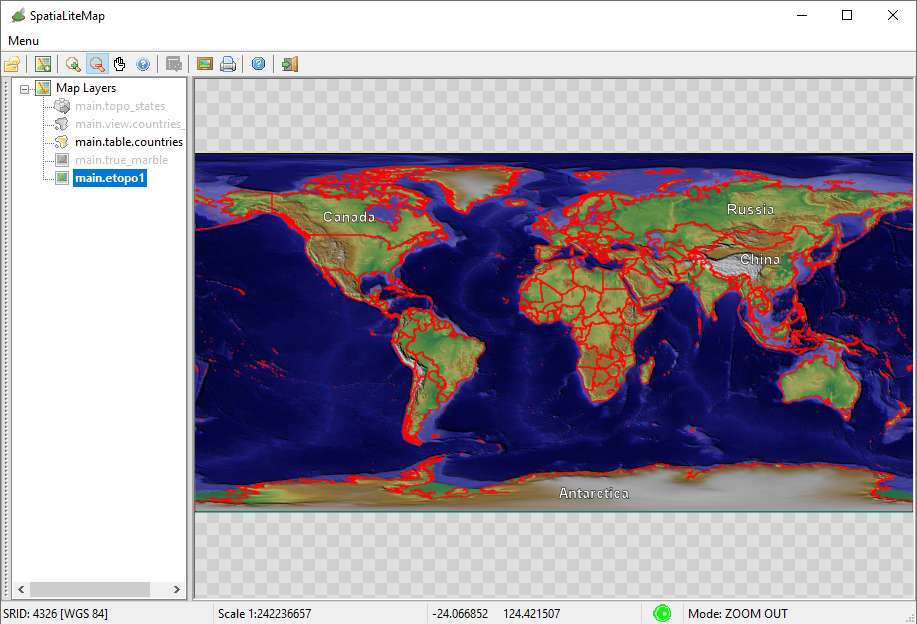
|
Step #1.2 - Preparing to load the Coverages in MapPanel |
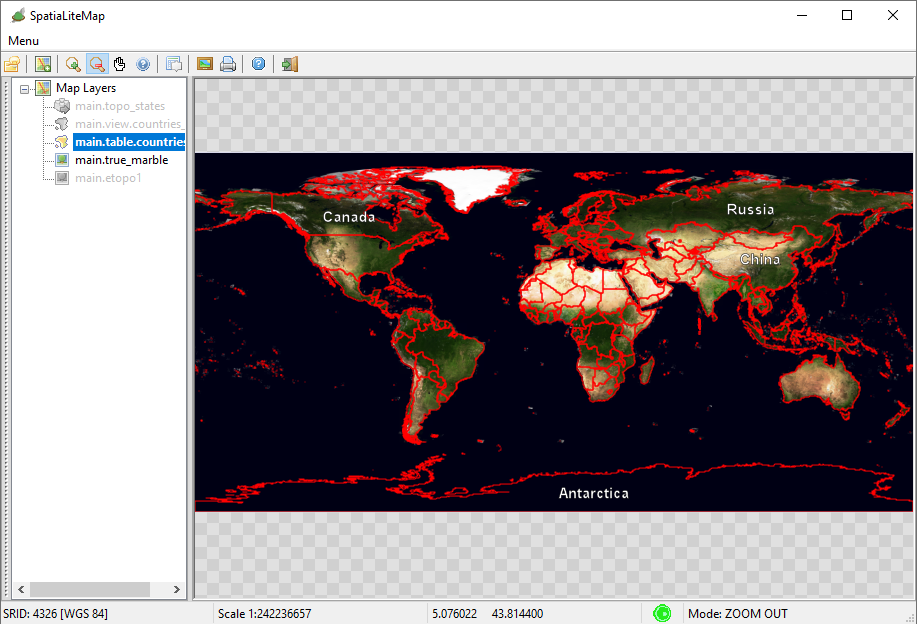
|
Step #1.1 - Preparing to load the Coverages in MapPanel |
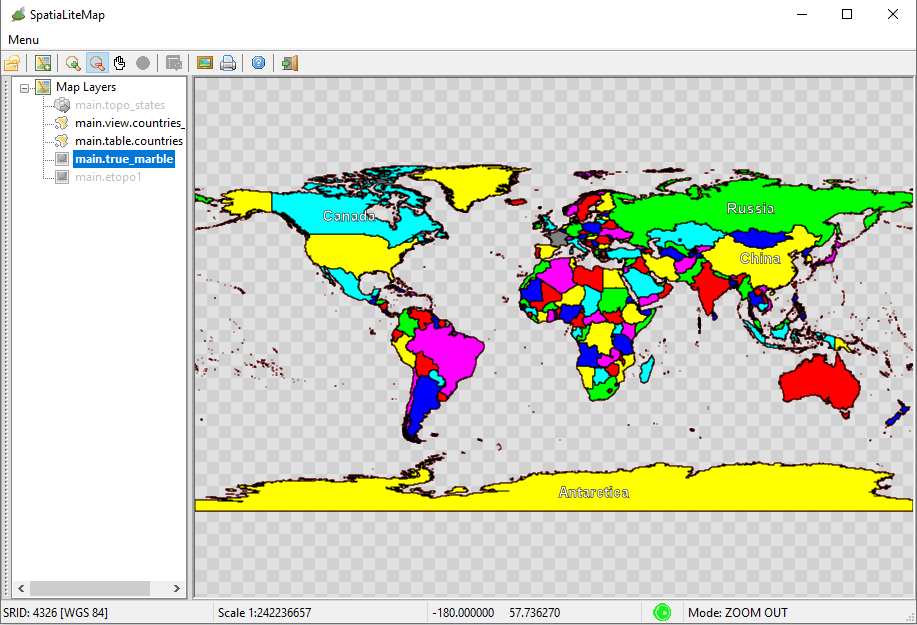
|
Step #1.1 - Preparing to load the Coverages in MapPanel |
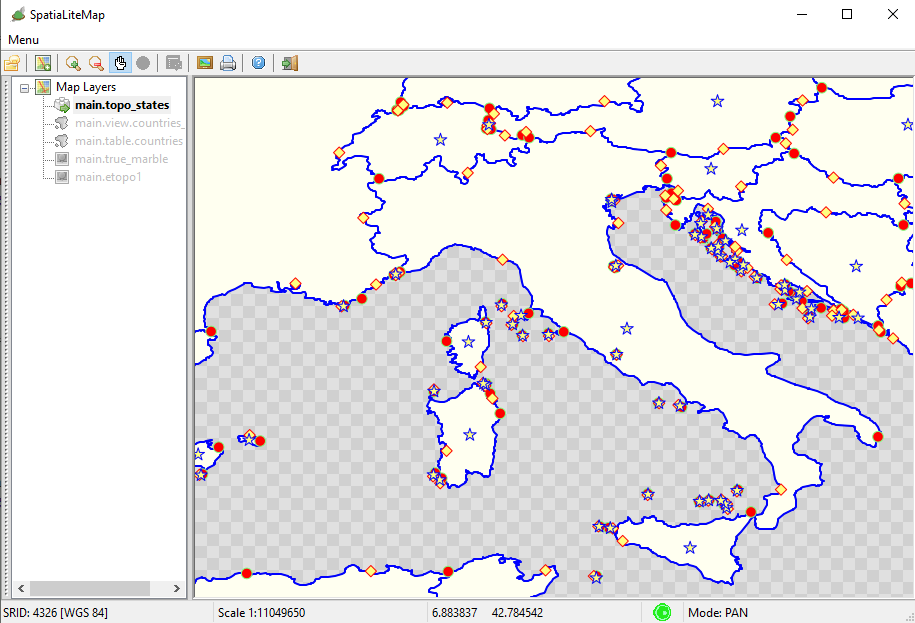
|
Step #2 - Creating, populating and styling the Raster Coverages | |
Step #2.1 - Preparing to load the Coverages in MapPanel |
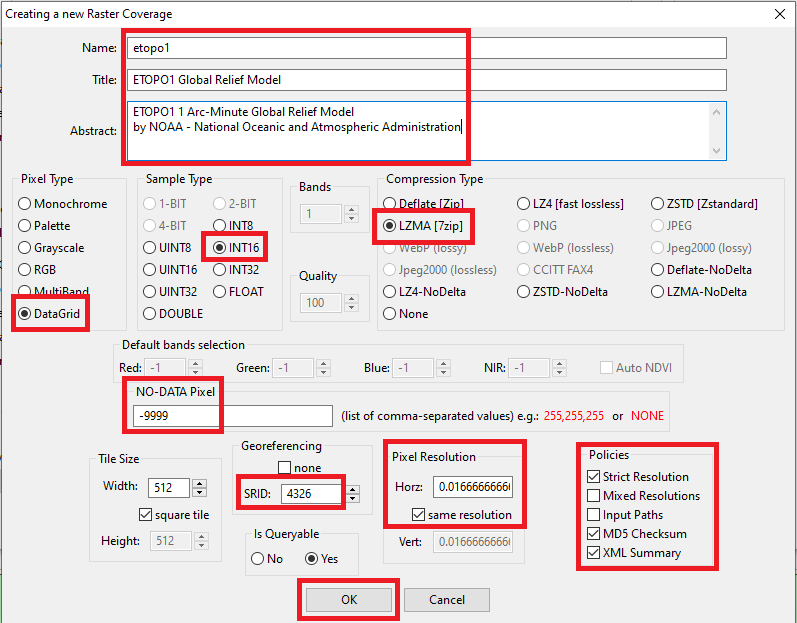
|
Step #2.1 - Preparing to load the Coverages in MapPanel |
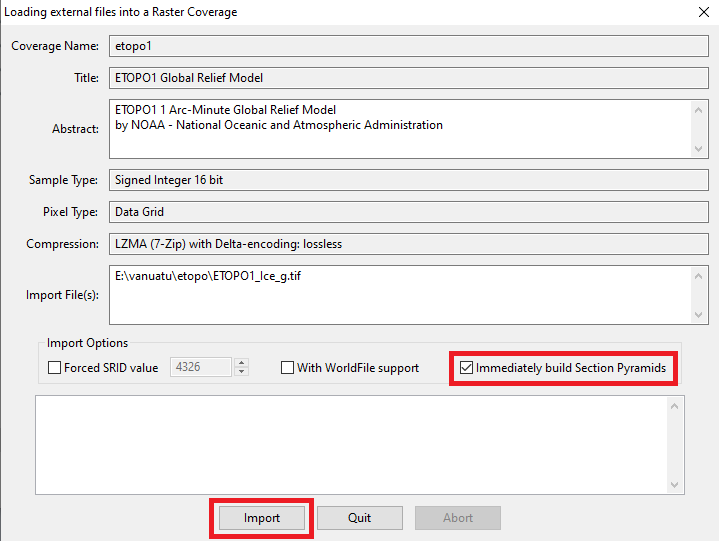
|
Step #2.1 - Preparing to load the Coverages in MapPanel |
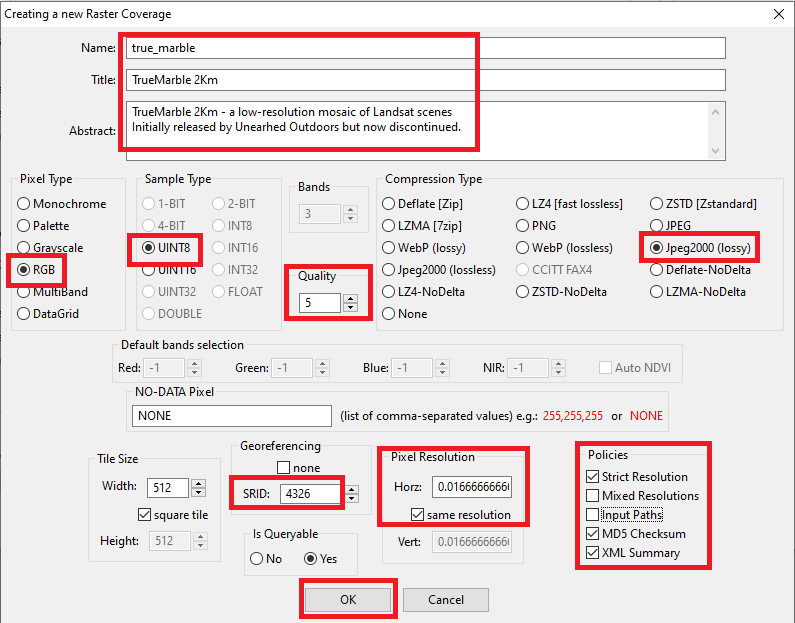
|
Step #2.1 - Preparing to load the Coverages in MapPanel |
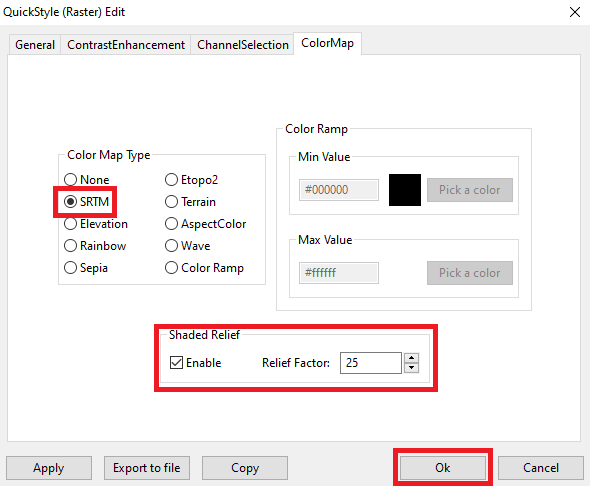
|
Step #3 - Creating, populating and styling a Vector Coverage based on a Spatial Table | |
Step #3.1 - Preparing to load the Coverages in MapPanel |
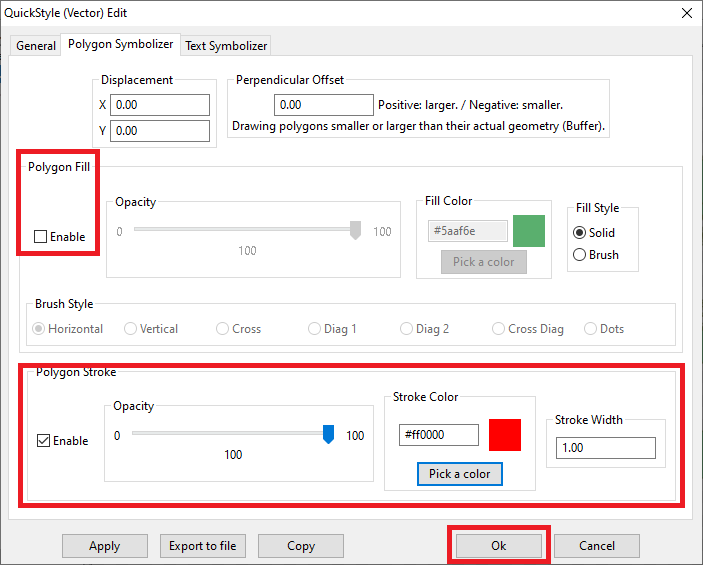
|
Step #3.2 - Preparing to load the Coverages in MapPanel |
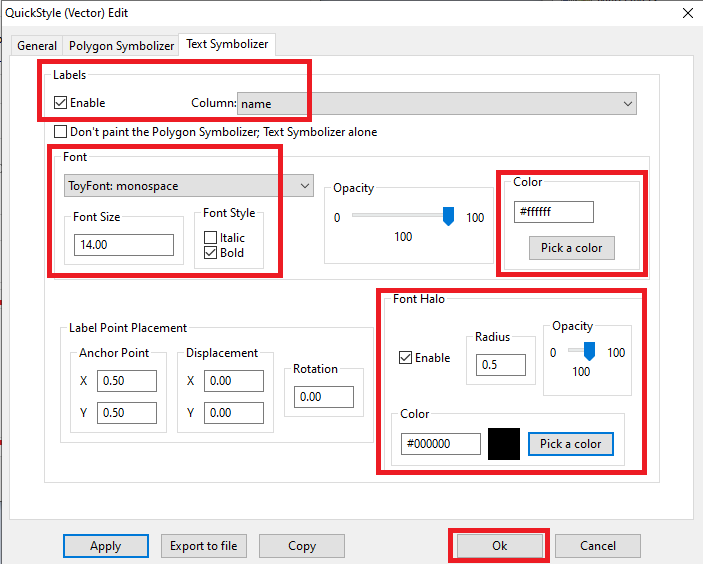
|
Step #4 - Creating, populating and styling a Vector Coverage based on a Spatial View | |
Step #4.1 - Preparing to load the Coverages in MapPanel |
CREATE VIEW countries_vw AS
SELECT pk_uid AS rowid, name AS name,
    CASE mapcolor7
        WHEN 1 THEN '#FF0000'
        WHEN 2 THEN '#00FF00'
        WHEN 3 THEN '#0000FF'
        WHEN 4 THEN '#FFFF00'
        WHEN 5 THEN '#FF00FF'
        WHEN 6 THEN '#00FFFF'
        ELSE '#808080'
    END color, geometry AS geom
FROM countries;

INSERT INTO views_geometry_columns VALUES
    ('countries_vw', 'geom', 'rowid', 'countries', 'geometry', 1);
|
Step #4.2 - Preparing to load the Coverages in MapPanel |
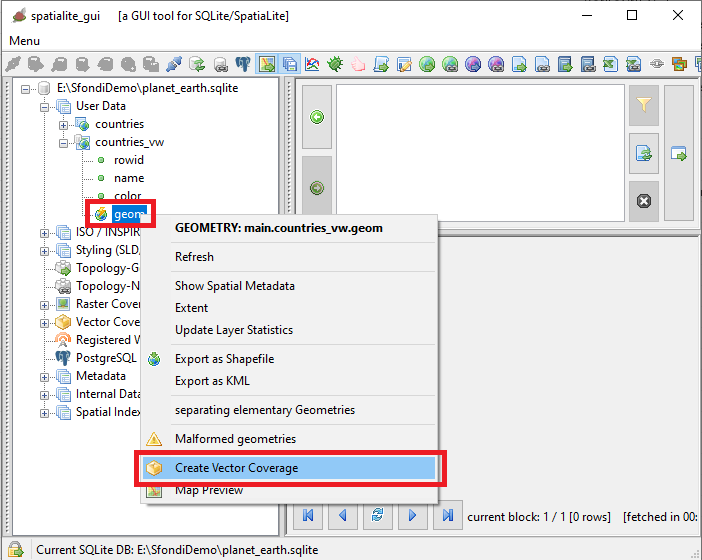
|
Step #4.3 - Preparing to load the Coverages in MapPanel |
<?xml version="1.0" encoding="UTF-8"?>
<PolygonSymbolizer version="1.1.0"
    xsi:schemaLocation="http://www.opengis.net/se http://schemas.opengis.net/se/1.1.0/Symbolizer.xsd"
    xmlns="http://www.opengis.net/se" xmlns:ogc="http://www.opengis.net/ogc"
    xmlns:xlink="http://www.w3.org/1999/xlink"
    xmlns:xsi="http://www.w3.org/2001/XMLSchema-instance"
    uom="http://www.opengeospatial.org/se/units/pixel">
    <Name>countries_col</Name>
    <Description>
        <Title>Countries - Political Map</Title>
        <Abstract>A Style setting its Fill color from a Column Value</Abstract>
    </Description>
    <Fill>
        <SvgParameter name="fill">@color@</SvgParameter>
        <SvgParameter name="fill-opacity">1.00</SvgParameter>
    </Fill>
    <Stroke>
        <SvgParameter name="stroke">#000000</SvgParameter>
        <SvgParameter name="stroke-opacity">1.00</SvgParameter>
        <SvgParameter name="stroke-width">1.00</SvgParameter>
        <SvgParameter name="stroke-linejoin">round</SvgParameter>
        <SvgParameter name="stroke-linecap">round</SvgParameter>
    </Stroke>
</PolygonSymbolizer>
|
Step #5 - Creating, populating and styling a Vector Coverage based on a Topology | |
Step #5.1 - Preparing to load the Coverages in MapPanel |
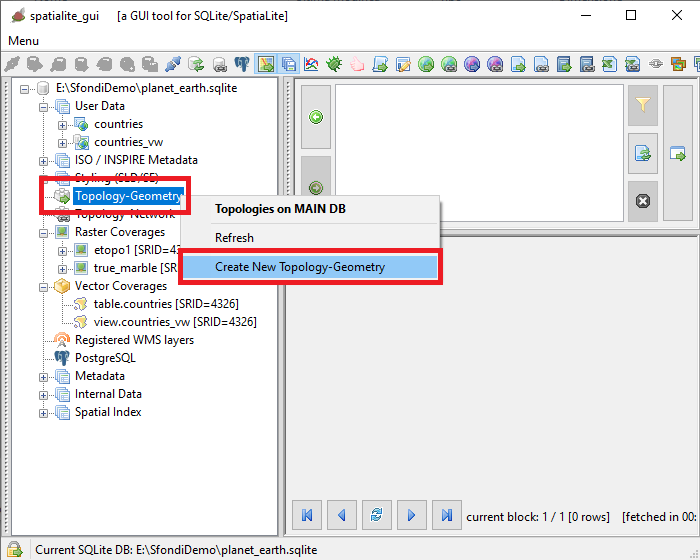
|
Step #5.2 - Preparing to load the Coverages in MapPanel |
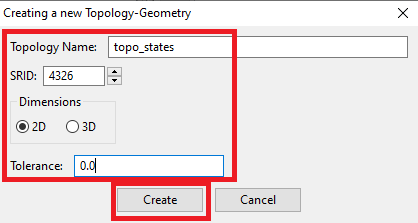
|
Step #5.3 - Preparing to load the Coverages in MapPanel |
SELECT TopoGeo_FromGeoTableNoFaceExt('topo_states', NULL, 'countries', NULL, 'dustbin', 'dustbin_view', 512);

SELECT TopoGeo_Polygonize('topo_states');

SELECT TopoGeo_UpdateSeeds('topo_states');
|
Step #5.4 - Preparing to load the Coverages in MapPanel |
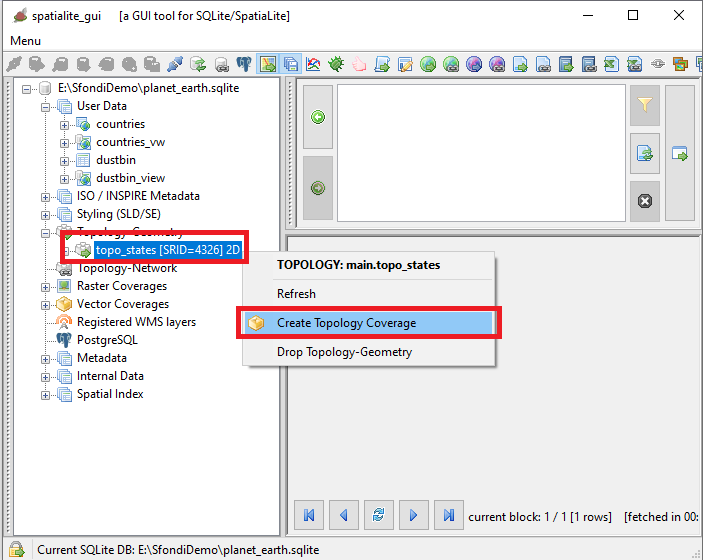
|
Step #5.5 - Preparing to load the Coverages in MapPanel |
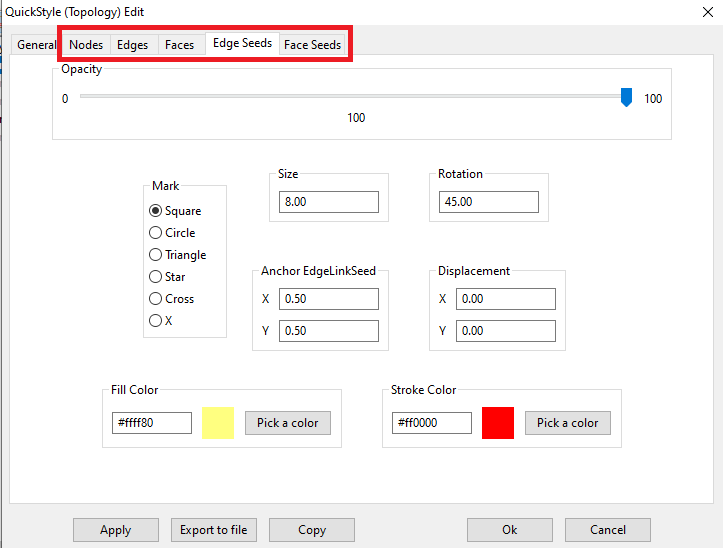
|
Step #5.6 - Preparing to load the Coverages in MapPanel |
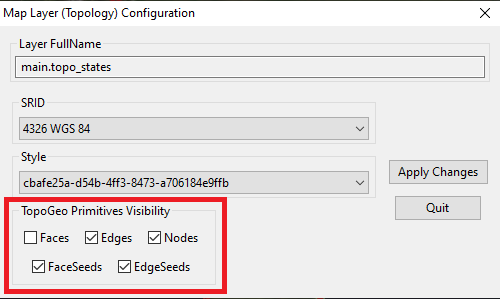
|