Many hyperlinks are disabled.
Use anonymous login
to enable hyperlinks.
Overview
| Artifact ID: | 51155bfcd1b6a229e10f9961586ad16c721c18c7 |
|---|---|
| Page Name: | OSM Berlin Surprises |
| Date: | 2022-06-04 14:59:45 |
| Original User: | sandro |
| Parent: | d51d8984cdcc187371d68a9da3d6911339432ee9 (diff) |
| Next | 8c5db57c12504675f4899202f65296367da62c33 |
Content
Back to OSM Berlin Index
Where we are
|
Since now in this tutorial we've simply examined the external skin of the Rendering Engine implemented by librasterlite2 and directly integrated in spatialite_gui via its Map Panel. It's now time to come down to greater depth so to appreciate all the revolutionary power it can offer. Be prepared for unexpected surprises. |
First surprise: Styled Maps can be created by pure SQL statements
The Rendering Engine (and all that it implies in terms of Styled Map Layers) is fully implemented by librasterlite2, that actually is a dymanic extension expanding the basic SQL capabilities of SQLite.This practically means that complex richly styled Maps can be created in the easiest way by just executing some appropriate SQL statement.
Such a capability immediately opens the doors for an easy and simple integration of the Rendering Engine in whatever programming language: C/C++, Java, Python, PHP and many others.
The basic approach will always be exactly the same for all them:
- Establish a connection to the SQLite database containing the Map by using the language bindings for your specific language.
- Then load both extensions SpatiaLite and RasterLite2
- Now you'll be ready for executing any RasterLite2 SQL function returning a Styled Map
- Each function will then return a BLOB object containing the image corresponding to your request.
- At this point your program will simply take some appropriate action (as e.g. displaying the image on the screen) and that's all.
Any other related task will then directly delegated to the SQL level. Your program will be just required to manage some appropriate SQL query
-
Note that this is an almost universally portable architecture available on practically any of the most common programming languages requiring only few very basic prerequisites:
- Support for some kind of SQLite connector being enabled to dynamically load extension modules.
- Installing both SpatiaLite and RasterLite2 extensions.
A practical example based on the OSM Berlin Map
SELECT RL2_GetImageFromMapConfiguration('osm-berlin',
       BuildMbr(391981.48944364, 5820790.78669314, 392990.18818636, 5821799.48543586, 25833),
       1024, 1024,
       'image/png');
- the first argument corresponds to the Map Configuration name (expected to exists into the connected database).
- the second argument corresponds to the Bounding Box to be covered by the image to be created.
- the third and fourth arguments respectively are the width and heigth (in pixels) pf the image.
- and finally the fifth argumets is the MIME type identified the format of the BLOB image to be returned.
The following MIME types are supported:- image/png TRUE color (RGB) PNG
- image/png8 grayscale or palette based PNG (8 bits X pixel)
- image/gif GIF
- image/jpeg JPEG compressed image
- image/tiff TRUE color (RGB) TIFF
- image/tiff8 grayscale or palette based TIFF (8 bits X pixel)
- image/geotiff TRUE color (RGB) GeoTIFF
- image/geotiff8 grayscale or palette based GeoTIFF (8 bits X pixel)
- application/pdf or application/x-pdf PDF document
- image/vnd.rl2rgba a flat RGBA matrix of HEIGHT scanlines (from top to bottom)
Each scanline contains WIDTH pixels (from left to right)
Pixels are strictly packed, each one of them requiring 4 bytes. (Red, Green, Blue and Alpha channels).
Note: this specific format usually corresponds to the native one supported by many screen devices.
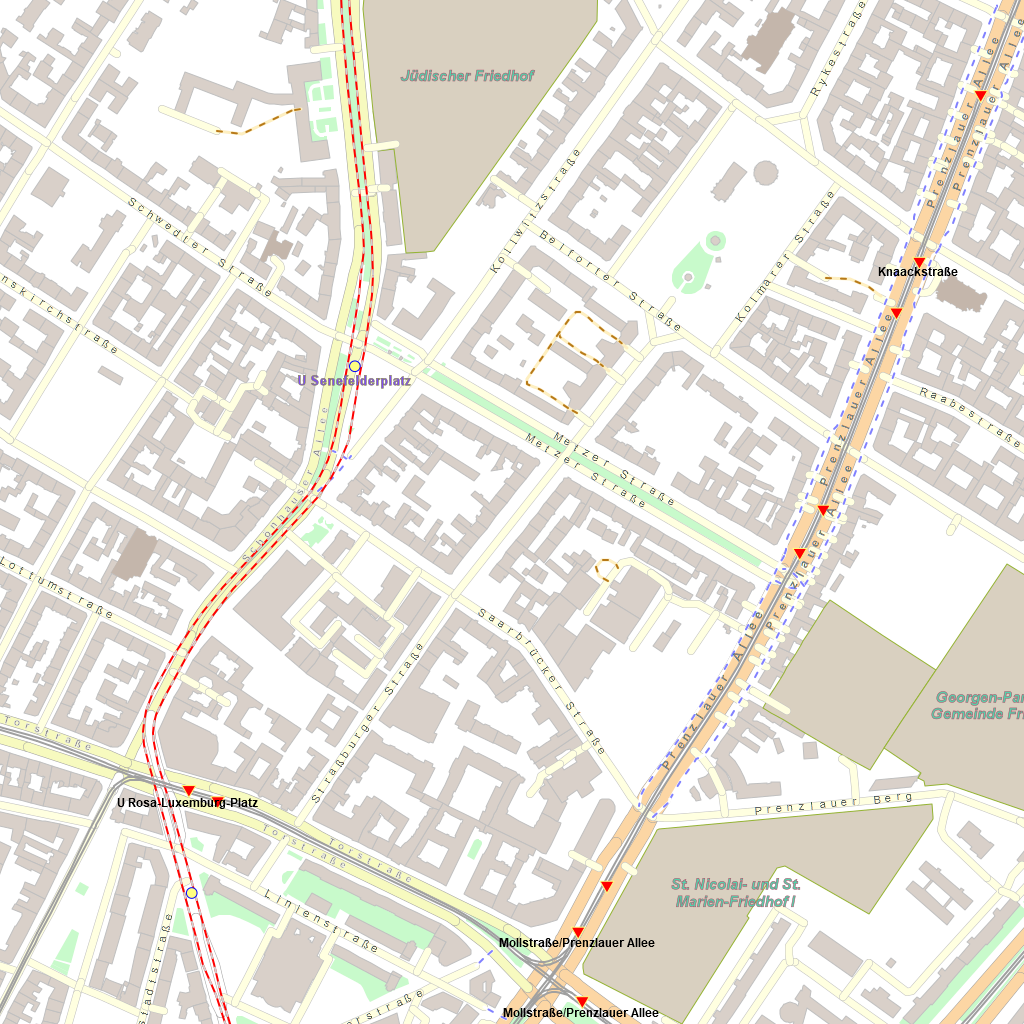
This is the PNG image returned by the previous SQL Query.
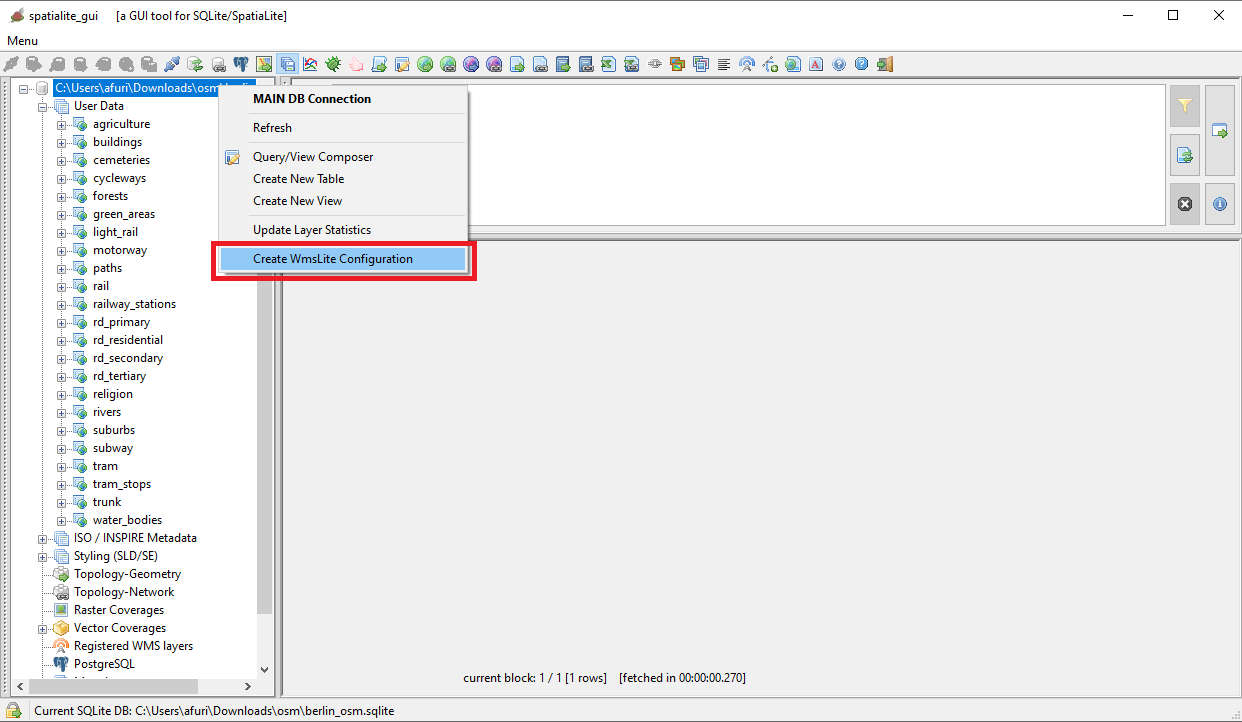
Second surprise: Styled Maps are always ready to be immediately published as WMS - Web Map Services
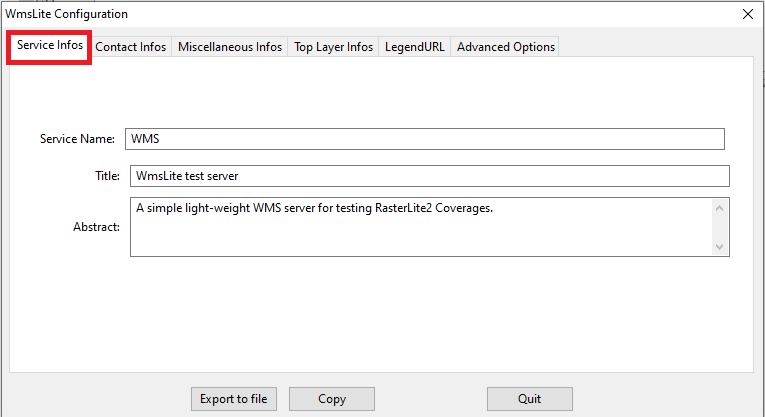
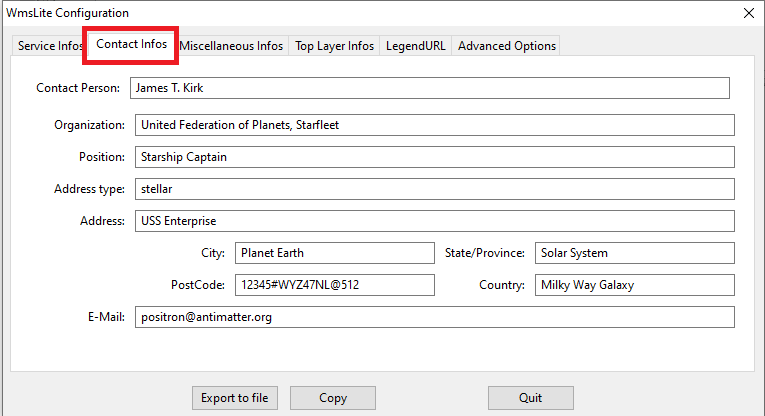
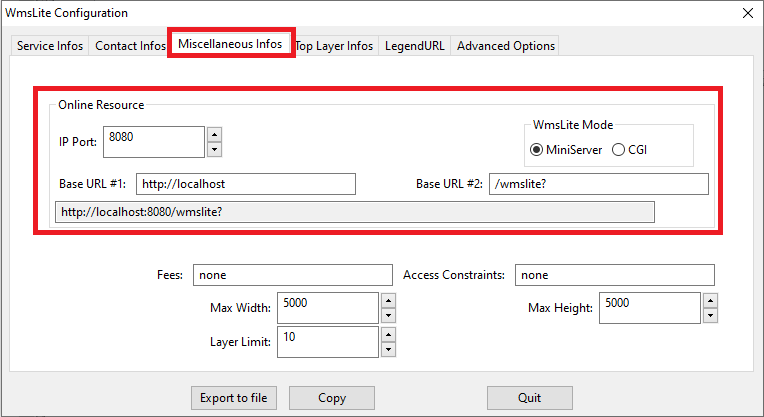
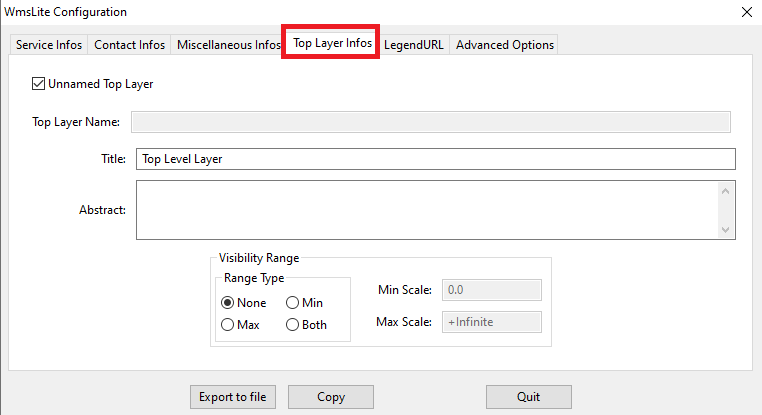
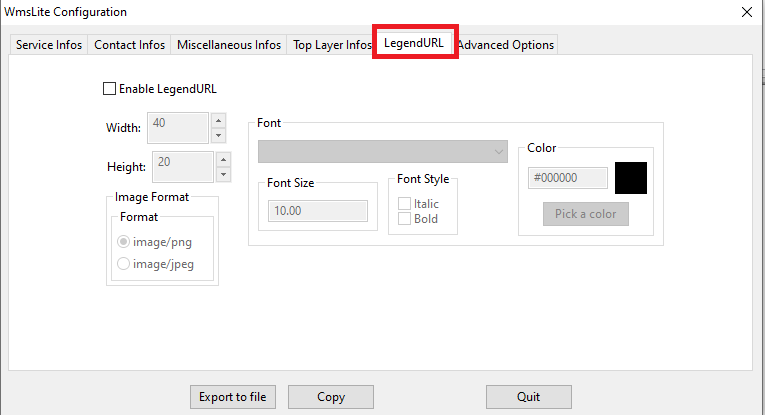
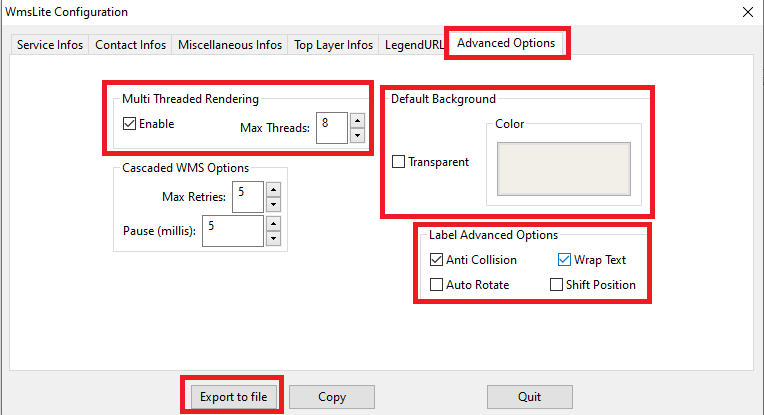
More precisely, it just requires to create an XLM config-file defining the WMS service you intend to publish on the WEB.Don't worry, it's a very simple step fully supported by a specific GUI Wizard
| 
| ||
| 
| ||
| 
| ||
| 
| ||
| 
| ||
| 
| ||
| 
| ||
|
Just for the sake of curiosity, what follows is the XML configuration we've just prepared for publishing the OSM Berlin Map as a Web Map Service
<?xml version="1.0" encoding="UTF-8"?> <!-- created by spatialite_gui on 2022-06-04 11:08:51 --> <WmsLiteConfig version="1.0" xmlns="http://www.gaia-gis.it/WmsLiteConfig" xmlns:xsi="http://www.w3.org/2001/XMLSchema-instance" xsi:schemaLocation="http://www.gaia-gis.it/WmsLiteConfig http://www.gaia-gis.it/WmsLiteConfig_1_0.xsd" > <Service> <Name>WMS</Name> <Title>WmsLite test server</Title> <Abstract>A simple light-weight WMS server for testing RasterLite2 Coverages.</Abstract> <KeywordList> <Keyword>some keyword</Keyword> <Keyword>another keyword</Keyword> </KeywordList> <OnlineResource>http://localhost:8080/wmslite?</OnlineResource> <ContactInformation> <ContactPersonPrimary> <ContactPerson>James T. Kirk</ContactPerson> <ContactOrganization>United Federation of Planets, Starfleet</ContactOrganization> </ContactPersonPrimary> <ContactPosition>Starship Captain</ContactPosition> <ContactAddress> <AddressType>stellar</AddressType> <Address>USS Enterprise</Address> <City>Planet Earth</City> <StateOrProvince>Solar System</StateOrProvince> <PostCode>12345#WYZ47NL@512</PostCode> <Country>Milky Way Galaxy</Country> </ContactAddress> <ContactElectronicMailAddress>positron@antimatter.org</ContactElectronicMailAddress> </ContactInformation> <Fees>none</Fees> <AccessConstraints>none</AccessConstraints> <LayerLimit>10</LayerLimit> <MaxWidth>5000</MaxWidth> <MaxHeight>5000</MaxHeight> </Service> <GeneralOptions> <MultiThreading Enabled="true" MaxThreads="8" /> <WMS MaxRetries="5" Pause="5" /> <Background Color="#f2efe9" Transparent="false" /> <LabelAdvancedOptions AntiCollisionEnabled="true" WrapTextEnabled="true" AutoRotateEnabled="false" ShiftPositionEnabled="false" /> </GeneralOptions> <WmsLayers> <TopLevelLayer> <Title>Top Level Layer</Title> </TopLevelLayer> <MainDB Path="C:\osm\berlin_osm.sqlite"> <Layer Alias="osm-berlin" Name="osm-berlin" Type="MapConfiguration" Child="false" > <ChildLayer>forests</ChildLayer> <ChildLayer>water_bodies</ChildLayer> <ChildLayer>agriculture</ChildLayer> <ChildLayer>green_areas</ChildLayer> <ChildLayer>buildings</ChildLayer> <ChildLayer>religion</ChildLayer> <ChildLayer>rivers</ChildLayer> <ChildLayer>cemeteries</ChildLayer> <ChildLayer>motorway</ChildLayer> <ChildLayer>trunk</ChildLayer> <ChildLayer>rd_primary</ChildLayer> <ChildLayer>rd_secondary</ChildLayer> <ChildLayer>rd_tertiary</ChildLayer> <ChildLayer>rd_residential</ChildLayer> <ChildLayer>paths</ChildLayer> <ChildLayer>cycleways</ChildLayer> <ChildLayer>subway</ChildLayer> <ChildLayer>rail</ChildLayer> <ChildLayer>light_rail</ChildLayer> <ChildLayer>tram</ChildLayer> <ChildLayer>suburbs</ChildLayer> <ChildLayer>railway_stations</ChildLayer> <ChildLayer>tram_stops</ChildLayer> </Layer> <Layer Alias="agriculture" Name="agriculture" Type="VectorCoverage" Child="true" /> <Layer Alias="buildings" Name="buildings" Type="VectorCoverage" Child="true" /> <Layer Alias="cemeteries" Name="cemeteries" Type="VectorCoverage" Child="true" /> <Layer Alias="cycleways" Name="cycleways" Type="VectorCoverage" Child="true" /> <Layer Alias="forests" Name="forests" Type="VectorCoverage" Child="true" /> <Layer Alias="green_areas" Name="green_areas" Type="VectorCoverage" Child="true" /> <Layer Alias="light_rail" Name="light_rail" Type="VectorCoverage" Child="true" /> <Layer Alias="motorway" Name="motorway" Type="VectorCoverage" Child="true" /> <Layer Alias="paths" Name="paths" Type="VectorCoverage" Child="true" /> <Layer Alias="rail" Name="rail" Type="VectorCoverage" Child="true" /> <Layer Alias="railway_stations" Name="railway_stations" Type="VectorCoverage" Child="true" /> <Layer Alias="rd_primary" Name="rd_primary" Type="VectorCoverage" Child="true" /> <Layer Alias="rd_residential" Name="rd_residential" Type="VectorCoverage" Child="true" /> <Layer Alias="rd_secondary" Name="rd_secondary" Type="VectorCoverage" Child="true" /> <Layer Alias="rd_tertiary" Name="rd_tertiary" Type="VectorCoverage" Child="true" /> <Layer Alias="religion" Name="religion" Type="VectorCoverage" Child="true" /> <Layer Alias="rivers" Name="rivers" Type="VectorCoverage" Child="true" /> <Layer Alias="suburbs" Name="suburbs" Type="VectorCoverage" Child="true" /> <Layer Alias="subway" Name="subway" Type="VectorCoverage" Child="true" /> <Layer Alias="tram" Name="tram" Type="VectorCoverage" Child="true" /> <Layer Alias="tram_stops" Name="tram_stops" Type="VectorCoverage" Child="true" /> <Layer Alias="trunk" Name="trunk" Type="VectorCoverage" Child="true" /> <Layer Alias="water_bodies" Name="water_bodies" Type="VectorCoverage" Child="true" /> </MainDB> </WmsLayers> </WmsLiteConfig> | |||
Ready to go: starting and testing the WMS MiniServer
For more detailed informations about all the invocation arguments supported by wmslite: wmslite --help | 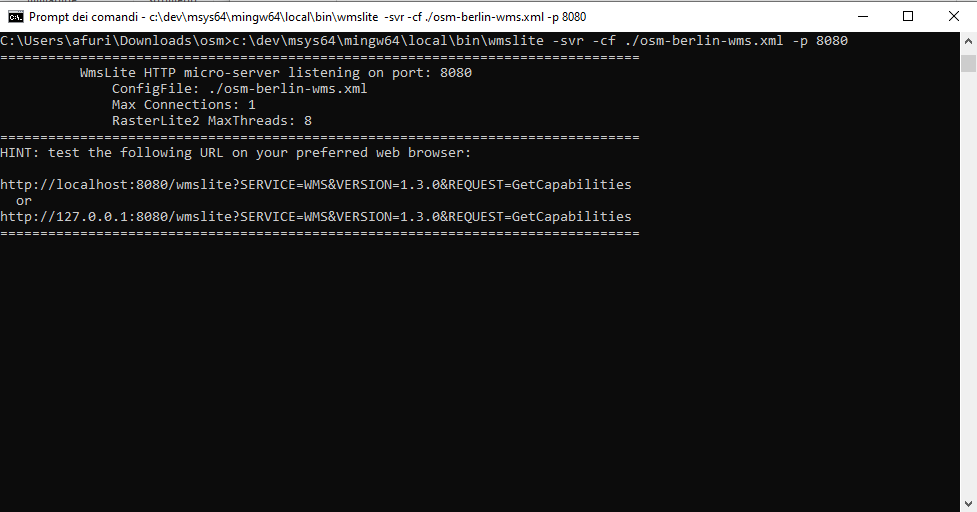
| |||
piro piro
http://localhost:8080/wmslite?SERVICE=WMS &REQUEST=GetMap&VERSION=1.3.0&LAYERS=osm-berlin&CRS=EPSG:25833 &BBOX=372900.376996,5808182.301315,406414.329857,5826524.528562 &WIDTH=1723&HEIGHT=943&STYLES=&FORMAT=image/png&TRANSPARENT=TRUE&BGCOLOR=0xFFFFFF | 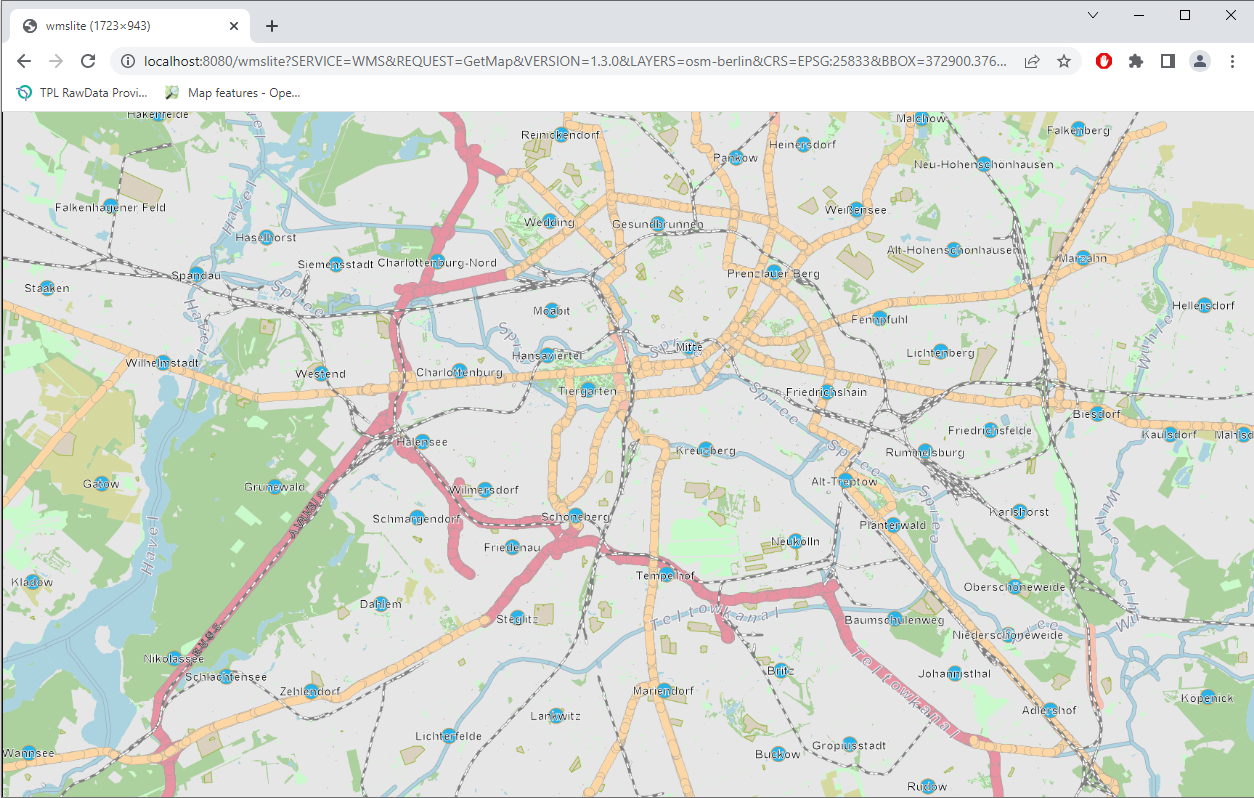
|
Back to OSM Berlin Index